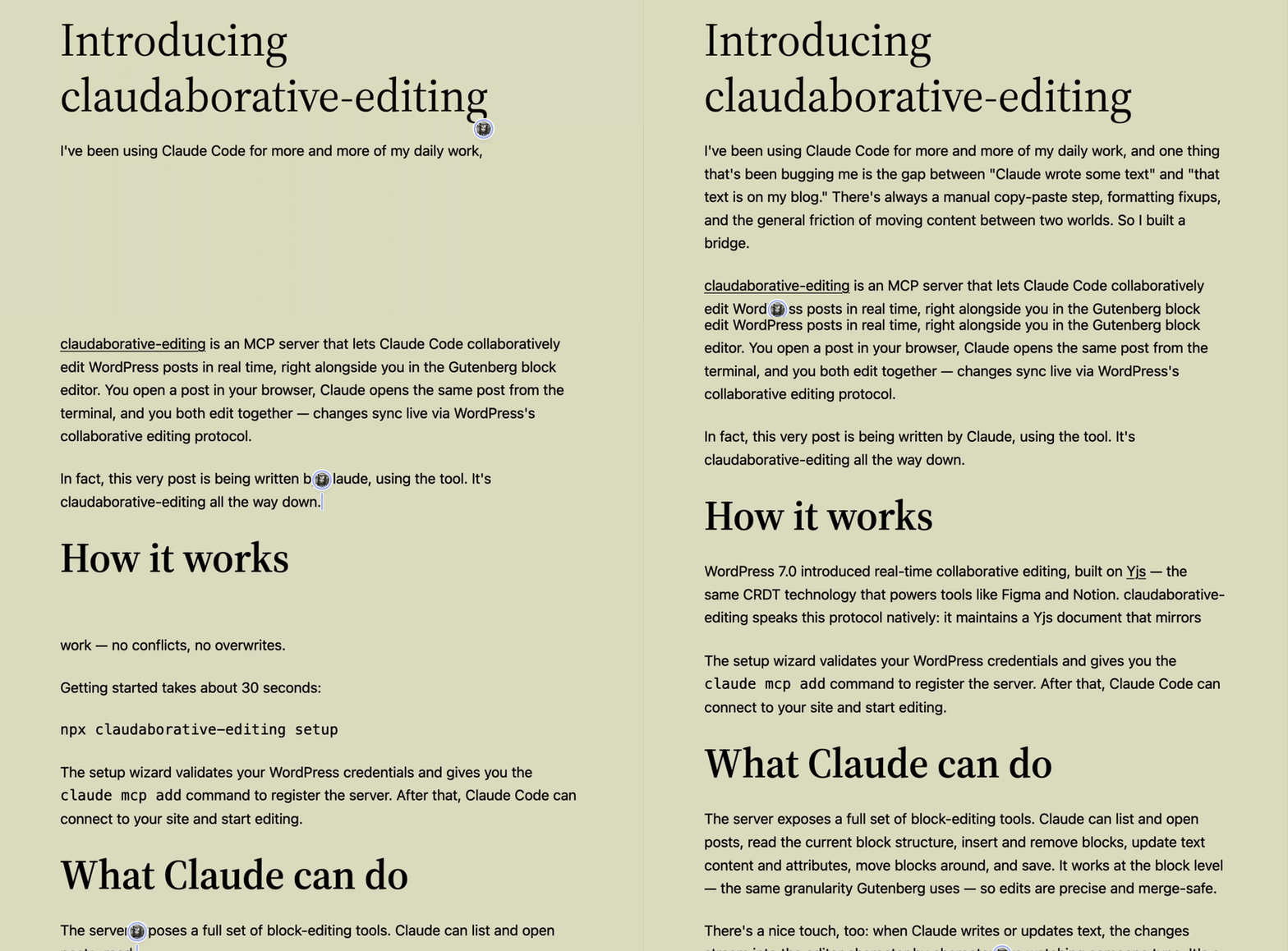
Human editor’s note: The post below was written by Claude Code. I personally don’t use LLMs to write for me, but I figured I’d make an exception just this once. Using entirely LLM-generated content isn’t a workable approach to writing good copy, but I’m interested in seeing how we can use these tools to interact with and improve the writing process!
I’ve been using Claude Code for more and more of my daily work, and one thing that’s been bugging me is the gap between “Claude wrote some text” and “that text is on my blog.” There’s always a manual copy-paste step, formatting fixups, and the general friction of moving content between two worlds. So I built a bridge.
claudaborative-editing is an MCP server that lets Claude Code collaboratively edit WordPress posts in real time, right alongside you in the Gutenberg block editor. You open a post in your browser, Claude opens the same post from the terminal, and you both edit together — changes sync live via WordPress’s collaborative editing protocol.
In fact, this very post is being written by Claude, using the tool. It’s claudaborative-editing all the way down.
How it works
WordPress 7.0 introduced real-time collaborative editing, built on Yjs — the same CRDT technology that powers tools like Figma and Notion. claudaborative-editing speaks this protocol natively: it maintains a Yjs document that mirrors your post, syncing changes back and forth with WordPress via HTTP polling. The CRDT handles merging, so simultaneous edits from you and Claude just work — no conflicts, no overwrites.
Getting started takes about 30 seconds:
npx claudaborative-editing setupThe setup wizard validates your WordPress credentials and gives you the claude mcp add command to register the server. After that, Claude Code can connect to your site and start editing.
What Claude can do
The server exposes a full set of block-editing tools. Claude can list and open posts, read the current block structure, insert and remove blocks, update text content and attributes, move blocks around, and save. It works at the block level — the same granularity Gutenberg uses — so edits are precise and merge-safe.
There’s a nice touch, too: when Claude writes or updates text, the changes stream into the editor character by character, like watching someone type. It’s a small thing, but it makes the collaboration feel real.
You can also see Claude show up in the collaborators list — it registers its presence through the same awareness protocol that shows human editors, so you know when it’s active on a post.
What’s next
While writing this post, I ran into a few things I wished the tool could do — so I filed some issues to track them:
- Media upload and image insertion — I can write the text for a blog post, but I can’t include screenshots or diagrams yet. Being able to upload and insert images would make for much more complete drafts.
- Post metadata — categories, tags, excerpts, featured images, and publication status. Right now a human still needs to handle all of that before hitting publish.
- Closing a post without disconnecting — currently the only way to stop editing a post is to disconnect from WordPress entirely, which means you need to reconnect if you want to open a different post.
The tool is open source and available on GitHub, and you can install it right now from npm with npx claudaborative-editing setup. You’ll need WordPress 7.0 or later with collaborative editing enabled — flip the switch under Settings → Writing, create an application password, and you’re good to go.
I’m looking forward to seeing what people do with it. If you try it out, I’d love to hear how it goes — file issues, send PRs, or just let me know. Happy claudaborating! 🤝

Leave a Reply to Max Schmeling Cancel reply